![Gatsby-PoweredByKlaviyo-Logo.svg]](https://help.gatsby.ai/hubfs/Gatsby-PoweredByKlaviyo-Logo.svg)
Step 1:
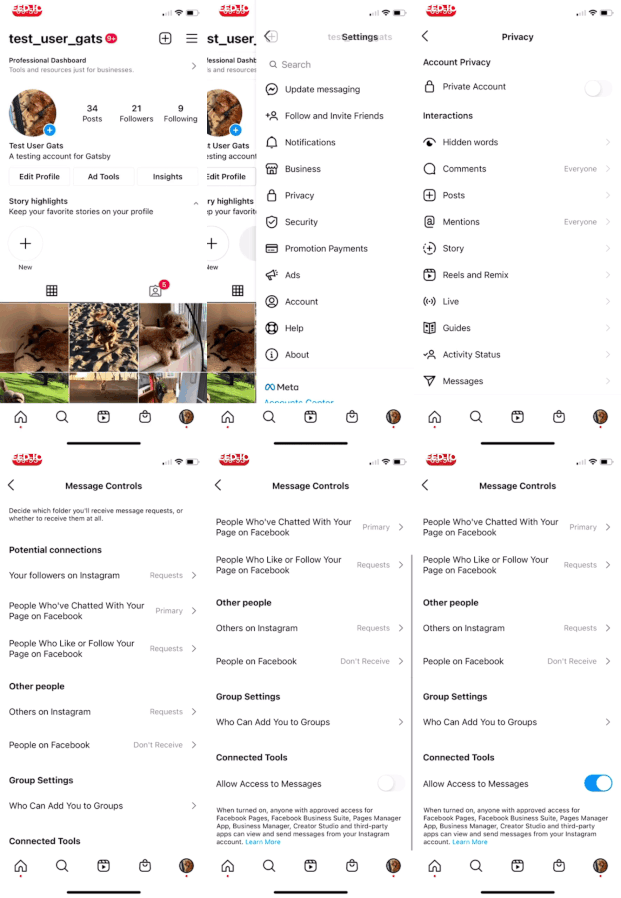
In your Instagram Business Account, turn on "Allow Access To Messages"
Instagram >> Settings >> Privacy >> Messages >> Scroll Down
Step 2:
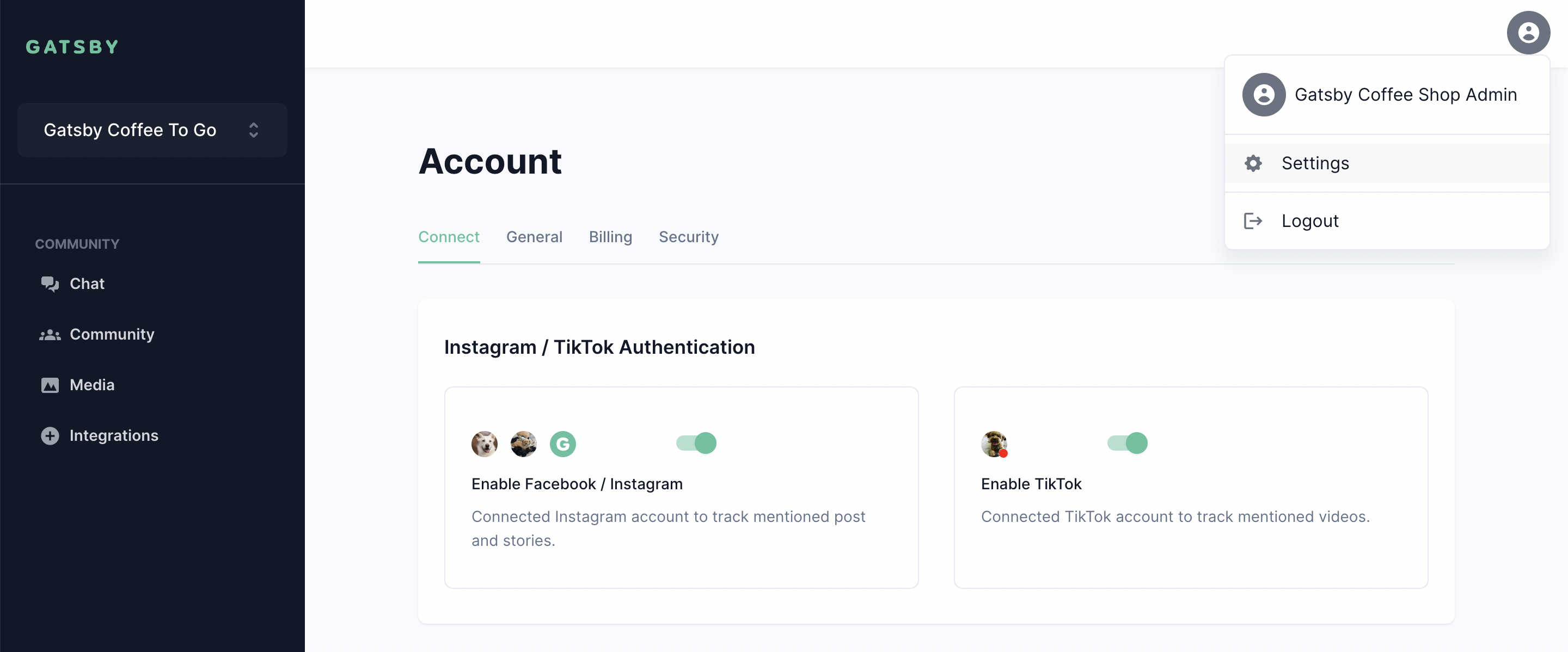
Connect your Instagram account to Gatsby. This only takes 1 minute by clicking the "Continue With Facebook" button, steps here.
Note: If you installed Gatsby prior to January 5th, 2022, you'll need to disconnect and reconnect your Instagram account following the same steps, linked above.
Test Steps:
Once you've turned on "Allow Access To Messages" and connected Gatsby, tracking your mentions in Stories will work automatically. Here's how to test it:
-
Log into a test Instagram account and @mention your brand in a Story
-
Open the Media tab, and see that your Story shows up
More about Gatsby Story Tracking:
- The mention event will be time-stamped and tracked in your Gatsby account indefinitely.
Caution: Per Instagram's policies, we are unable to save the Story media, and the image / video be unavailable for you to preview once it expires after 24 hours. However, there will always be a log of who tagged in you a story, when they published it, and how many followers they had at the time of the Story.
- Mention events will sync with your customer's record in Klaviyo, Omnisend, Sailthru, Gorgias, etc, and create a "Mentioned You" event that you can use in your Segments and Flows.
That's it! If you have any questions, please don't hesitate to open a support ticket with us and we'll get back to you as quickly as possible. Thanks!